AWS Cloud Services: Practical Tips & Tricks part1
July 06, 2026 — LiveStream
🛒 Recommended gear on AmazonDisclosure: some links above are affiliate links — if you buy through them I may earn a small commission at no extra cost to you. Thanks for supporting the channel!
As an Amazon Associate I earn from qualifying purchases.
Diving into the vast ocean of AWS cloud services can feel like a daunting task, especially when you're aiming for efficient, secure, and cost-effective operations. This comprehensive guide, inspired by the practical insights from the "AWS Cloud Services: Practical Tips & Tricks part1" video, unpacks essential strategies for junior DevOps engineers looking to master the intricacies of Amazon Web Services and elevate their cloud game.
A senior DevOps engineer, over a steaming cup of chai, might tell you, "Yaar, AWS ek samundar hai, but you don't need to swim the whole thing at once. Focus on the currents that matter most for your daily work." This article aims to do just that: guide you through the critical AWS cloud services and offer practical DevOps tips that can immediately boost your productivity, security posture, and bottom line. We’re talking real-world advice, not just theoretical gyaan. Let's explore how to navigate these waters with confidence, making your cloud journey smoother and more impactful.
Mastering AWS Costs: Smart Cloud Optimization Strategies
Dekho, the first thing anyone running on AWS learns, often the hard way, is that costs can spiral out of control if you're not careful. It's like leaving the lights on in every room back home – eventually, the bill hits hard. So, our first set of AWS practical advice revolves around shrewd cloud cost optimization.
The Problem: Unseen Expenses Eating into Your Budget
Many juniors often provision resources, use them for a bit, and then forget about them. Or, they might over-provision, thinking "more is always better," which is definitely not true in the cloud. This leads to hidden costs for idle compute, underutilized storage, and forgotten services.
The Solution: Proactive Cost Management & Smart Resource Allocation
You need a strategy, a blueprint, for keeping costs in check. It’s not just about cutting down; it’s about optimizing for value.
1. Leverage AWS Budgets and Cost Explorer
These are your binoculars and compass in the cost ocean. AWS Cost Explorer gives you a visual breakdown of where your money is going, by service, region, and even tags. It's fantastic for identifying cost trends and anomalies. AWS Budgets, on the other hand, allows you to set custom budgets (monthly, quarterly, yearly) for your costs or usage, and then sends you alerts when you exceed or are projected to exceed your thresholds. It’s like setting an alarm for your spending. Trust me, you'll thank me later for this tip.
- Steps:
- Navigate to the AWS Billing Dashboard.
- Go to "Cost Explorer" and start analyzing your historical spend. Look for services that consume the most.
- Go to "Budgets" and create a new budget. Choose a "Cost budget" for overall spend, or a "Usage budget" for specific resource types (e.g., number of EC2 instances).
- Configure notifications to be sent to your email or an SNS topic when actual or forecasted costs exceed a certain percentage of your budget.
- Pitfalls: Not setting granular enough budgets, ignoring alerts, or not categorizing resources with proper tags for detailed cost breakdown.
- Verification: Regularly check your budget reports and ensure you're receiving alerts when expected. Use tags aggressively (e.g.,
Project:X, Environment:Dev) to categorize costs for better analysis.
2. Right-Sizing EC2 Instances and EBS Volumes
This is a big one. Often, we launch an m5.xlarge when an m5.large would do just fine, or even an m5.medium. That's money down the drain, yaar. Use CloudWatch metrics to monitor CPU utilization, network I/O, and memory usage (though memory needs custom metrics or an agent). If your EC2 instance is consistently running at 10-20% CPU utilization, you’re over-provisioned. The same goes for EBS volumes; don't provision 1TB if you only use 200GB, especially for provisioned IOPS (PIOPS) volumes which are directly proportional to size.
- Steps:
- Monitor your EC2 instances using CloudWatch. Focus on CPU Utilization, Network I/O, and Disk I/O.
- Analyze peak usage times and average usage.
- Based on data, scale down to a smaller instance type if consistently underutilized.
- For EBS, utilize tools like AWS Compute Optimizer for recommendations, or manually check volume usage.
- Schedule downtime to modify instance types or EBS volumes if required (usually requires a stop/start for instance types).
- Pitfalls: Scaling down without proper load testing, not considering peak traffic spikes, or ignoring application-specific resource requirements.
- Verification: After right-sizing, continue monitoring to ensure performance remains acceptable and that the new configuration handles expected loads without issues.
3. Leveraging Reserved Instances (RIs) or Savings Plans
If you have a predictable, steady-state workload for at least one year (or even three), Reserved Instances (RIs) or Savings Plans are your best friends. They offer significant discounts (up to 72%!) compared to On-Demand pricing. RIs are tied to specific instance families or operating systems, while Savings Plans offer more flexibility, applying to compute usage regardless of instance type, region, or operating system.
- Steps:
- Identify your baseline, always-on compute usage. How many
m5.large instances do you typically run 24/7?
- Analyze your commitment options in the AWS Cost Management console under "Savings Plans" or "Reserved Instances."
- Purchase a 1-year or 3-year commitment, choosing between No Upfront, Partial Upfront, or All Upfront options based on your budget.
- Monitor your utilization of RIs/Savings Plans regularly to ensure you're getting the full benefit.
- Pitfalls: Purchasing RIs for short-lived or unpredictable workloads, not monitoring RI utilization, or choosing the wrong RI type (e.g., Regional vs. Zonal for EC2).
- Verification: Use the Cost Explorer and Savings Plans utilization reports to confirm that your purchased commitments are being fully utilized and generating expected savings.
4. Implementing S3 Lifecycle Policies
S3 storage isn't free, especially if you're keeping old logs, backups, or non-production data in expensive storage classes like S3 Standard. S3 Lifecycle Policies automate the transition of objects to cheaper storage classes (like S3 Infrequent Access, Glacier, or Glacier Deep Archive) or their expiration after a certain period. This is a brilliant AWS automation trick for data that ages.
- Steps:
- Identify S3 buckets containing data that becomes less frequently accessed over time.
- Navigate to the S3 console, select your bucket, and go to "Management" -> "Lifecycle rules."
- Create a new rule. Define a filter (e.g., prefix
logs/) if you only want to apply it to specific objects.
- Add "Transition current versions of objects between storage classes" actions (e.g., move to S3 IA after 30 days, then to Glacier after 90 days).
- Add "Expire current versions of objects" action to delete objects after a specified number of days if they are no longer needed.
- Pitfalls: Accidentally deleting critical data, not applying policies to all relevant buckets, or setting overly aggressive transition/expiration times.
- Verification: Regularly review your S3 bills to see the impact of your lifecycle policies. Monitor your bucket sizes and object counts.
By implementing these cost optimization strategies, you’re not just saving money; you’re building a habit of financial responsibility in your cloud operations. This is a mark of a true senior DevOps engineer.
Fortifying Your Cloud Perimeter: AWS Security Best Practices
Ab aate hain sabse critical topic pe: Security. Cloud pe kaam kar rahe ho toh security ka funda clear hona chahiye, boss. It's not just about protecting your data; it's about protecting your reputation, your customers, and your job! These AWS security best practices are non-negotiable.
The Problem: Open Doors and Weak Guards
Misconfigured IAM policies, overly permissive Security Groups, and forgetting to encrypt sensitive data are common slip-ups. Attackers are always looking for the easiest way in, and a single exposed port or a leaked credential can compromise your entire infrastructure. "It won't happen to me" is the most dangerous thought in cybersecurity.
The Solution: Layered Defenses and Principle of Least Privilege
Think of your AWS account as a fortress. You need multiple layers of defense, and every entry point must be strictly controlled.
1. IAM Roles vs. Users: Embrace the Principle of Least Privilege
The Principle of Least Privilege is your mantra. Never give more permissions than absolutely necessary. For applications and AWS services, always use IAM Roles, not IAM Users. IAM Roles provide temporary credentials and are much safer than embedding static access keys in your code or EC2 instances.
- Steps:
- For any application running on an EC2 instance, Lambda function, or ECS task, create an IAM Role.
- Attach only the minimal policies required for that service/application to function. For example, if a Lambda only needs to write logs to CloudWatch, give it
logs:CreateLogStream and logs:PutLogEvents, not AdministratorAccess.
- Assign this role to the EC2 instance profile or Lambda function during creation.
- For human users, provide individual IAM Users. Enable MFA (Multi-Factor Authentication) for everyone, especially for root users and administrative accounts.
- Regularly audit IAM policies using IAM Access Analyzer to identify overly permissive access.
- Pitfalls: Attaching
AdministratorAccess or PowerUserAccess just "to make it work," using root user credentials for daily operations, or not rotating access keys for IAM Users.
- Verification: Use AWS IAM Access Analyzer for continuous monitoring of external access. Regularly review CloudTrail logs to see who is performing what actions and with what credentials.
2. Configure Security Groups and Network ACLs Wisely
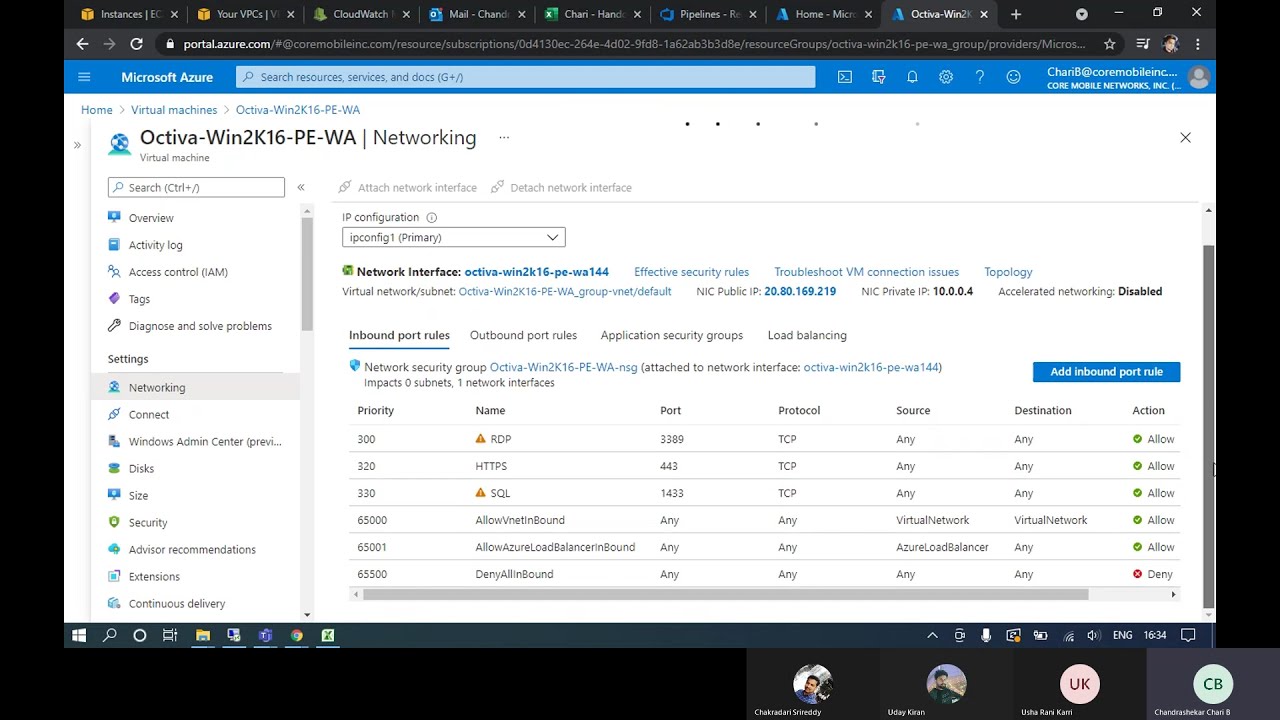
These are your virtual firewalls. Security Groups act at the instance level, controlling inbound and outbound traffic. Network ACLs (NACLs) operate at the subnet level, offering an additional, stateless layer of security. Always default to denying all traffic and explicitly allow only what’s needed.
- Steps:
- For EC2 instances, ensure Security Groups are restrictive. For a web server, only allow inbound traffic on ports 80 and 443 from
0.0.0.0/0 (if public-facing), and SSH (port 22) from a specific IP range (e.g., your office IP).
- For database instances, restrict inbound traffic to the Security Group of your application servers only.
- Regularly review Security Group rules. Remove any old or unused rules.
- Consider NACLs for an additional layer, especially in multi-tier architectures or shared subnets, but remember they are stateless, so you need rules for both inbound and outbound.
- Use AWS WAF (Web Application Firewall) for public-facing web applications to protect against common web exploits.
- Pitfalls: Leaving SSH (port 22) or RDP (port 3389) open to
0.0.0.0/0, not revoking access after a project ends, or having overlapping, confusing rules.
- Verification: Use tools like AWS Config to monitor Security Group changes. Regularly audit active Security Groups and NACLs. A quick
nmap from an external machine on your public IPs can also reveal open ports.
3. Encrypt Everything: Data at Rest and in Transit
Encryption is no longer a "nice-to-have"; it’s a "must-have." Encrypt your data wherever it resides and whenever it moves. AWS offers robust encryption options natively.
- Steps:
- Data at Rest: Enable encryption for EBS volumes (default for new ones, can encrypt existing ones by creating encrypted copies), S3 buckets (default encryption via SSE-S3 is a good start, or use SSE-KMS for more control), RDS databases, and other storage services.
- Data in Transit: Always use HTTPS/SSL for communication between your clients and applications (e.g., use an Application Load Balancer with an ACM certificate). Use SSL/TLS for database connections and internal service-to-service communication where possible.
- Leverage AWS Key Management Service (KMS) for managing your encryption keys.
- Pitfalls: Forgetting to enable encryption on newly provisioned resources, using weak encryption algorithms, or not having a key rotation strategy.
- Verification: Regularly audit your resources using AWS Config rules to ensure encryption is enabled where required. For example, create a rule to check if S3 buckets are encrypted.
These security practices are fundamental. Implementing them diligently will greatly enhance your cloud posture. Remember, security is everyone's responsibility, and it's an ongoing process, not a one-time setup.
Streamlining Operations: Automation & IaC Essentials on AWS
Chalo, ab baat karte hain efficiency ki. Manual processes are error-prone, slow, and frankly, boring. As a DevOps engineer, your superpower is automation. This section focuses on infrastructure as code (IaC) and other AWS automation tricks to make your life easier and your deployments more reliable.
The Problem: Manual Errors and Inconsistent Deployments
Have you ever spent hours debugging a production issue only to find it was a typo in a configuration file? Or noticed environments drifting apart because changes were applied manually in one but not the others? This "snowflake" server anti-pattern is a nightmare for consistency and reliability.
The Solution: Automate Everything Possible with IaC and CI/CD
Your infrastructure, from a single EC2 instance to a multi-service application, should be defined in code. This ensures consistency, repeatability, and version control.
1. Embrace Infrastructure as Code (IaC) with CloudFormation or Terraform
This is probably the most transformative "trick" you'll learn. Instead of clicking through the AWS console to provision resources, you write templates. AWS CloudFormation is AWS's native IaC service, allowing you to define your entire infrastructure in JSON or YAML. Terraform by HashiCorp is another popular, multi-cloud alternative. Both allow you to provision, update, and delete resources predictably and idempotently.
- Steps:
- Start small: Define a simple S3 bucket or an EC2 instance in a CloudFormation template (YAML is generally more readable).
- Use CloudFormation Designer to visualize your templates and understand resource dependencies.
- Version control your templates in Git (e.g., GitHub, GitLab, CodeCommit). This is critical for collaboration and rollbacks.
- Deploy your templates using the AWS CLI:
aws cloudformation deploy --template-file my-template.yaml --stack-name MyWebServerStack --capabilities CAPABILITY_IAM
- Gradually expand to define entire environments (dev, staging, prod) using separate templates or parameters.
- Pitfalls: Template drift (making manual changes to resources created by IaC), not versioning templates, or large monolithic templates that are hard to manage.
- Verification: Ensure that your deployed infrastructure precisely matches your code. Use AWS Config to detect resource compliance or drift.
2. Build Robust CI/CD Pipelines
Continuous Integration (CI) and Continuous Delivery/Deployment (CD) are the backbone of modern DevOps. A well-designed pipeline automates code building, testing, and deployment, ensuring that only validated code reaches production. AWS offers services like CodePipeline, CodeBuild, and CodeDeploy to help you build these pipelines smoothly.
- Steps:
- Set up a source stage (e.g., CodeCommit, GitHub) where your application code resides.
- Create a build stage using CodeBuild, which compiles your code, runs unit tests, and packages your application artifacts (e.g., Docker image, JAR file).
- Implement a testing stage, either within CodeBuild or as a separate stage, to run integration or end-to-end tests.
- Configure a deployment stage using CodeDeploy (for EC2/on-prem), ECS, EKS, or Lambda, to deploy your application to target environments.
- Integrate manual approval steps for critical deployments (e.g., to production).
- Pitfalls: Long-running builds, insufficient testing, manual approval bottlenecks, or not having automated rollbacks for failed deployments.
- Verification: Monitor pipeline execution times, success rates, and ensure that deployments are consistent across environments. Use CloudWatch Application Insights to monitor application health post-deployment.
3. Automate Tasks with AWS Lambda
AWS Lambda is a big deal for event-driven automation. You can use it to run code without provisioning or managing servers, responding to events like S3 object uploads, DynamoDB stream updates, or CloudWatch alarms. Think of it as your Swiss Army knife for small, targeted automation tasks.
- Steps:
- Identify repetitive, event-driven tasks that could be automated (e.g., resizing images on S3 upload, processing log files, stopping idle EC2 instances).
- Write a small Python, Node.js, or Java function for the task.
- Create a Lambda function in the AWS console or using IaC (CloudFormation/Terraform).
- Configure an appropriate trigger (e.g., S3 event, CloudWatch Scheduled Event, CloudWatch Alarm).
- Set up CloudWatch Logs for your Lambda function to monitor its execution and troubleshoot errors.
- Pitfalls: Over-complicating Lambda functions, not handling errors gracefully, or exceeding memory/runtime limits.
- Verification: Monitor Lambda function invocations, errors, and duration in CloudWatch. Ensure the automated tasks are completing successfully.
By automating these aspects, you free yourself from tedious, repetitive work and can focus on more strategic initiatives. This is where DevOps truly shines!
Key Takeaways
- Proactively manage AWS costs by using Budgets and Cost Explorer, right-sizing resources, leveraging RIs/Savings Plans, and implementing S3 Lifecycle policies.
- Prioritize security by enforcing the Principle of Least Privilege with IAM roles, configuring restrictive Security Groups, enabling MFA, and encrypting all data at rest and in transit.
- Embrace Infrastructure as Code (IaC) with CloudFormation or Terraform to define and manage your infrastructure predictably and consistently.
- Build robust CI/CD pipelines using AWS Code services to automate software delivery, reducing manual errors and accelerating deployments.
- Utilize AWS Lambda for event-driven automation of repetitive tasks, making your cloud operations more efficient and responsive.
Frequently Asked Questions
What is the most effective way to monitor AWS costs?
The most effective way to monitor AWS costs is by regularly using AWS Cost Explorer to visualize spending trends and breakdowns, and configuring AWS Budgets to receive alerts when your costs or usage exceed predefined thresholds. Combining these two provides both reactive insights and proactive warnings, helping you stay within your budget.
How can I ensure my AWS infrastructure is secure from common vulnerabilities?
To secure your AWS infrastructure, always implement the Principle of Least Privilege for IAM users and roles, ensure all Security Groups and Network ACLs are as restrictive as possible, and encrypt all data at rest and in transit. Additionally, enable Multi-Factor Authentication (MFA) for all users, especially root and admin accounts, and regularly audit your configurations.
Why is Infrastructure as Code (IaC) considered a best practice in AWS DevOps?
Infrastructure as Code (IaC) is a best practice because it allows you to define and manage your cloud infrastructure using version-controlled code templates (e.g., CloudFormation, Terraform). This ensures consistency across environments, enables faster and repeatable deployments, reduces manual configuration errors, and facilitates collaboration among team members, making your infrastructure highly scalable and maintainable.
What are some quick AWS automation tricks for a junior DevOps engineer?
For quick automation, juniors can start by setting up AWS Lambda functions to respond to simple events like S3 object uploads (e.g., thumbnail generation), using CloudWatch Scheduled Events to run daily cleanup scripts (e.g., stopping idle dev instances), or configuring S3 Lifecycle Policies to automatically move old data to cheaper storage tiers. These small automations can save significant time and costs.
I hope these practical tips and tricks help you navigate your AWS journey like a seasoned pro! There's always more to learn and optimize in the cloud, and these foundational practices will set you up for success.
For a deeper dive and visual walkthrough of these essential AWS Cloud Services tips, make sure to check out the original video: AWS Cloud Services: Practical Tips & Tricks part1 on the @explorenystream channel. Don't forget to watch the video, subscribe, and hit that notification bell for more invaluable DevOps insights!