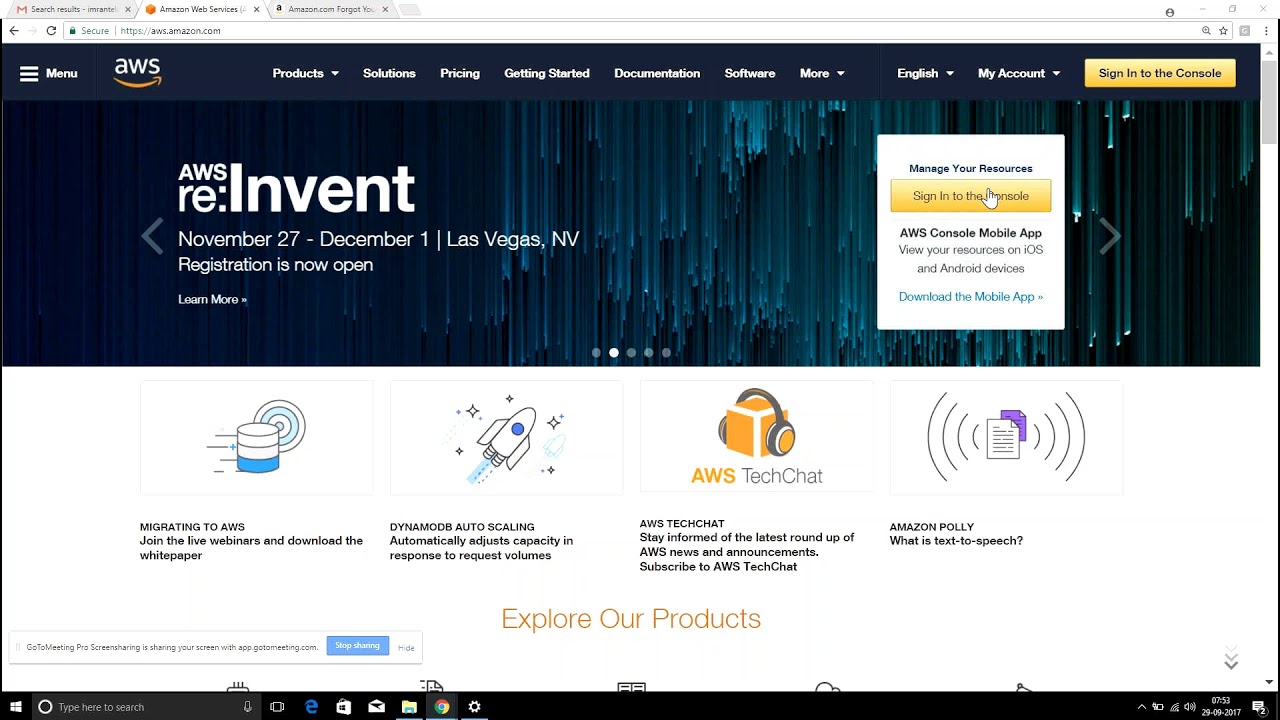
Cloud Computing Introduction AWS DEVOPS ONLINE TRAINING
July 19, 2026 — LiveStream
🛒 Recommended gear on AmazonDisclosure: some links above are affiliate links — if you buy through them I may earn a small commission at no extra cost to you. Thanks for supporting the channel!
As an Amazon Associate I earn from qualifying purchases.
start your journey into the dynamic world of modern IT with this comprehensive guide to Cloud Computing Introduction AWS DevOps Training. We'll demystify cloud fundamentals, explore AWS as the leading platform, and understand how DevOps principles supercharge development and operations in the cloud, setting the stage for a rewarding career.
So, tum soch rahe ho, yaar, yeh Cloud Computing Introduction AWS DevOps Training itna buzzword kyun hai aajkal? Bilkul sahi question hai. Agar tum IT industry mein apna mark banana chahte ho, khaaskar software development ya operations mein, toh cloud aur DevOps ki understanding, especially on AWS, is not just good to have, it's absolutely essential. Imagine you're building a massive new office building. Pehle kya hota tha? You'd buy the land, hire architects, construction workers, buy all the material – bricks, cement, wiring – sab kuch khud se manage karna padta tha. It was a huge upfront investment, a lot of hassle, and took ages. Cloud computing, with giants like Amazon Web Services (AWS), changes all of that. It's like instead of building your own office, you just rent office space in a state-of-the-art skyscraper. All the foundational infrastructure, security, power backup – sab kuch managed hai. Tumhe bas apna kaam karna hai. This fundamental shift is what we call Cloud Computing, and mastering it, particularly with a focus on AWS DevOps training, is your ticket to future-proofing your career.
Cloud Computing: The Game Changer for Modern IT Infrastructure
Let's start from scratch, shall we? What exactly is Cloud Computing? In simple terms, it's the on-demand delivery of compute power, database storage, applications, and other IT resources via the internet with pay-as-you-go pricing. Instead of owning and maintaining your own physical data centers and servers, you can access services like computing power, storage, and databases from a cloud provider like AWS. Think of it as utility services – just like you pay for electricity or water based on consumption, you pay for cloud resources based on what you use.
The traditional IT infrastructure model involved significant upfront capital expenditure (CapEx). Companies had to purchase physical servers, networking equipment, storage devices, and then hire teams to install, configure, and maintain them. This was a slow, expensive, and often underutilized approach. What if your application suddenly became popular and needed more resources? You'd have to buy more hardware, which meant more downtime, more planning, and more costs. This rigidity was a major bottleneck for innovation and scalability.
Cloud computing solves these problems with its core characteristics:
- On-demand self-service: You can provision computing capabilities, such as server time and network storage, as needed automatically without requiring human interaction with each service provider.
- Broad network access: Capabilities are available over the network and accessed through standard mechanisms that promote use by heterogeneous thin or thick client platforms (e.g., mobile phones, laptops, and workstations).
- Resource pooling: The provider’s computing resources are pooled to serve multiple consumers using a multi-tenant model, with different physical and virtual resources dynamically assigned and reassigned according to consumer demand.
- Rapid elasticity: Capabilities can be elastically provisioned and released, in some cases automatically, to scale rapidly outward and inward commensurate with demand. This is a huge benefit for fluctuating workloads.
- Measured service: Cloud systems automatically control and optimize resource use by leveraging a metering capability. This means you only pay for what you consume, just like your electricity bill.
The benefits are immense. We're talking about massive cost savings by shifting from CapEx to OpEx, increased agility to respond to market demands, global reach to deploy applications closer to users worldwide, and enhanced security and reliability because cloud providers invest heavily in these areas. For anyone looking to get into AWS DevOps online training, understanding these foundational principles is absolutely critical.
Understanding Cloud Service Models: IaaS, PaaS, and SaaS Simplified
Cloud computing isn't a one-size-fits-all solution; it comes in different flavors, or "service models," each offering varying levels of control and management. These models are crucial for anyone doing Cloud Computing Introduction AWS DevOps Training to grasp:
Infrastructure as a Service (IaaS)
This is the most basic category of cloud computing services. With IaaS, you rent IT infrastructure – virtual machines, storage, networks, and operating systems – from a cloud provider. It’s like renting an empty plot of land where you can build anything you want. You manage your applications, data, runtime, middleware, and operating system, while the cloud provider manages the virtualization, servers, storage, and networking.
- What it is: Provides fundamental computing resources over the internet.
- User Control: High. You have control over the operating system, applications, and data.
- Examples: AWS EC2 (Elastic Compute Cloud) for virtual servers, S3 (Simple Storage Service) for object storage, and VPC (Virtual Private Cloud) for networking.
- Use Cases: Lift-and-shift migrations of existing applications, custom development where you need granular control, big data processing.
For DevOps engineers, IaaS is fundamental. You're provisioning and managing virtual servers (EC2 instances), setting up networks (VPC), and configuring storage (EBS volumes, S3 buckets) – all through code and automation.
Platform as a Service (PaaS)
PaaS provides an on-demand environment for developing, running, and managing applications without the complexity of building and maintaining the infrastructure typically associated with developing and launching an app. It's like renting an apartment – the building (infrastructure) is managed, but you bring your furniture (applications/data).
- What it is: Offers a complete development and deployment environment in the cloud, including operating systems, databases, web servers, and programming language execution environments.
- User Control: Medium. You manage your applications and data, but the platform and underlying infrastructure are managed by the provider.
- Examples: AWS Elastic Beanstalk, Heroku, Google App Engine.
- Use Cases: Rapid application development and deployment, microservices, APIs.
PaaS services are fantastic for DevOps teams looking to focus purely on application code and accelerate deployment cycles. For instance, with Elastic Beanstalk, deploying a web application is as simple as uploading your code, and AWS handles the provisioning of servers, load balancing, auto-scaling, and application health monitoring automatically.
Software as a Service (SaaS)
SaaS delivers a complete, fully managed application over the internet. You just use the software, usually via a web browser or a mobile app, without worrying about any underlying infrastructure, operating systems, or even the application code itself. It's like taking a bus – you just hop on, and the entire vehicle, driver, and route are all managed for you.
- What it is: A complete application that you access and use.
- User Control: Low. You only interact with the software interface.
- Examples: Gmail, Salesforce, Dropbox, Microsoft 365.
- Use Cases: Email, CRM, document management, collaboration tools.
While not directly used for building new applications in DevOps, SaaS plays a crucial role in the DevOps toolchain itself – think about using project management tools like Jira or version control systems like GitHub (which can be considered SaaS offerings). Understanding all three models is key to choosing the right solution for different business needs, a skill honed through comprehensive AWS DevOps online training.
Cloud Deployment Models: Public, Private, Hybrid, and Community Clouds
Beyond service models, cloud computing also offers different deployment models, dictating where and how your cloud infrastructure is physically located and managed. These choices impact security, control, and cost – crucial considerations for any AWS DevOps training participant.
Public Cloud
This is the most common deployment model. In a public cloud, cloud resources (like servers and storage) are owned and operated by a third-party cloud service provider (e.g., AWS, Azure, Google Cloud Platform) and delivered over the internet. These resources are shared among multiple "tenants" or customers, though each customer's data is isolated and logically separated. Think of it like a large apartment complex where many people live, but each has their own secure apartment.
- Characteristics: Shared resources, highly scalable, internet-accessible, pay-per-use.
- Pros: Cost-effective (no CapEx), massive scalability, high reliability (due to redundant infrastructure), minimal management overhead for the user.
- Cons: Less control over underlying infrastructure, potential security concerns for highly sensitive data (though AWS security is robust), vendor lock-in.
AWS is the quintessential public cloud provider, offering an incredible array of services and a global footprint. This is where most of your Cloud Computing Introduction AWS DevOps Training will focus.
Private Cloud
A private cloud refers to cloud resources used exclusively by a single organization. It can be physically located on the company's on-site data center (on-premise private cloud) or hosted by a third-party service provider in a dedicated environment. It’s like having your own dedicated mansion – all resources are for your exclusive use.
- Characteristics: Dedicated resources, high control, enhanced security, customizable.
- Pros: Maximum control over data, enhanced security and privacy (crucial for compliance requirements), dedicated resources ensure performance.
- Cons: Higher costs (CapEx for on-prem, or higher OpEx for hosted dedicated), significant IT management overhead, less scalable than public clouds.
Many enterprises with strict regulatory compliance or unique security needs opt for private clouds, or at least a private segment within a public cloud (like an AWS Virtual Private Cloud, VPC).
Hybrid Cloud
A hybrid cloud combines elements of both public and private clouds, allowing data and applications to be shared between them. This model is ideal for organizations that need the flexibility and scalability of the public cloud for certain workloads, while keeping highly sensitive data or critical applications in a private cloud environment. Imagine you have your own mansion but also rent an apartment in the skyscraper for extra space when needed.
- Characteristics: Interconnected public and private environments, workload portability.
- Pros: Flexibility, cost optimization (bursting to public cloud for peak loads), compliance (keeping sensitive data private), improved business continuity.
- Cons: Increased complexity in management and integration, requires robust networking between environments, potential for inconsistent security policies.
For a DevOps engineer, managing hybrid environments often involves advanced networking, identity management, and orchestration tools, which are typically covered in advanced AWS DevOps online training modules.
Community Cloud
This is a less common model where cloud infrastructure is shared among several organizations from a specific community with common concerns (e.g., security requirements, compliance, mission). It can be managed internally or by a third party. Think of it as a shared gated community where residents have similar interests and needs.
AWS: The Leading Cloud Platform for DevOps Transformation
Now, let's talk about the big kahuna in cloud computing: Amazon Web Services (AWS). AWS isn't just a cloud provider; it's the pioneer and current market leader, offering an astonishingly broad and deep set of services. When we talk about Cloud Computing Introduction AWS DevOps Training, AWS is often the default platform because of its maturity, ecosystem, and constant innovation.
Why is AWS so dominant, especially for DevOps?
First, its sheer breadth of services. AWS has over 200 fully featured services, from compute, storage, networking, and databases to machine learning, IoT, analytics, security, and specialized DevOps tools. This means you can build almost any application imaginable, from a simple static website to a complex, globally distributed microservices architecture, all within the AWS ecosystem. For a DevOps engineer, having such a rich toolkit at your fingertips is invaluable.
Let's touch upon some core AWS services that are fundamental for anyone doing AWS DevOps training:
- Compute:
EC2 (Elastic Compute Cloud): Virtual servers in the cloud. Your bread and butter for running applications.Lambda: Serverless compute service that lets you run code without provisioning or managing servers. Great for event-driven functions and microservices.ECS (Elastic Container Service) and EKS (Elastic Kubernetes Service): Services for running and managing Docker containers, a cornerstone of modern DevOps.
- Storage:
S3 (Simple Storage Service): Object storage for virtually unlimited data. Perfect for backups, static websites, and data lakes.EBS (Elastic Block Store): Block-level storage volumes for use with EC2 instances. Think of them as virtual hard drives.Glacier: Archival storage for data you don't need to access frequently.
- Networking:
VPC (Virtual Private Cloud): A logically isolated section of the AWS Cloud where you can launch AWS resources in a virtual network that you define. This is where you configure your private networks, subnets, and routing rules.Route 53: Scalable cloud Domain Name System (DNS) web service.ELB (Elastic Load Balancing): Automatically distributes incoming application traffic across multiple targets, such as EC2 instances, to ensure high availability and fault tolerance.
- Databases:
RDS (Relational Database Service): Managed relational databases (MySQL, PostgreSQL, Oracle, SQL Server, MariaDB, Aurora).DynamoDB: Fast and flexible NoSQL database service.
- Management & Governance (Crucial for DevOps):
IAM (Identity and Access Management): Securely manage access to AWS services and resources. Who can do what? This is paramount for security.CloudWatch: Monitoring and observability service. Collects logs, metrics, and events.CloudFormation: Infrastructure as Code (IaC) tool that lets you model, provision, and manage AWS resources using templates.Systems Manager: Helps you automate operational tasks across your AWS resources.
- DevOps-specific services:
AWS CodeCommit: Managed source control service.AWS CodeBuild: Fully managed continuous integration service.AWS CodeDeploy: Automates code deployments to any instance, including EC2 instances and on-premises servers.AWS CodePipeline: Fully managed continuous delivery service.
One of the most critical concepts to understand in AWS (and any public cloud) is the Shared Responsibility Model. AWS is responsible for the security *of* the cloud (the infrastructure, hardware, global network), while you, the customer, are responsible for security *in* the cloud (your data, applications, operating system configurations, network configurations like security groups, and IAM policies). This distinction is fundamental for building secure and compliant systems in AWS and forms a major part of any serious AWS DevOps online training.
Embracing DevOps in the Cloud: A Synergistic Approach
Cloud computing, especially AWS, provides the perfect playground for implementing DevOps principles. But first, what is DevOps? It's not just a set of tools or a job title; it's a cultural philosophy that unifies development (Dev) and operations (Ops) teams, fostering collaboration, automation, and rapid feedback loops across the entire software development lifecycle. The goal? To deliver high-quality software faster and more reliably.
The core pillars of DevOps include:
- Continuous Integration (CI): Developers frequently merge their code changes into a central repository, where automated builds and tests are run.
- Continuous Delivery (CD): After CI, code is automatically prepared for release to production.
- Continuous Deployment: An extension of CD, where every change that passes the automated tests is automatically deployed to production.
- Infrastructure as Code (IaC): Managing and provisioning infrastructure through code rather than manual processes.
- Monitoring and Logging: Proactive tracking of application and infrastructure performance and health.
- Automation: Automating repetitive tasks across the SDLC.
- Collaboration: Breaking down silos between teams to ensure shared responsibility and faster problem-solving.
Now, how does the cloud, specifically AWS, supercharge DevOps? The synergy is incredible. AWS provides the ideal environment for DevOps for several key reasons:
- On-Demand Infrastructure for IaC: With AWS, you can provision and de-provision infrastructure resources (servers, databases, networks) programmatically and on-demand using tools like AWS CloudFormation or Terraform. This is the very essence of Infrastructure as Code. No more waiting days for hardware; resources are available in minutes.
- Managed Services Simplify Operations: AWS offers many managed services (like RDS for databases, Elastic Beanstalk for application deployment, Lambda for serverless functions) that offload the operational burden of managing underlying infrastructure. This frees up Ops teams to focus on higher-value activities like optimization and security, rather than patching servers.
- Scalability and Elasticity: DevOps thrives on agility. AWS's ability to scale resources up or down rapidly means your CI/CD pipelines can have dedicated environments for testing and deployment, scaling as needed without impacting production. This flexibility is crucial for handling fluctuating workloads and frequent releases.
- Global Reach for Rapid Deployment: With AWS Regions and Availability Zones worldwide, DevOps teams can easily deploy applications closer to their users, reducing latency and improving user experience. Global deployments, which were once complex and costly, become routine with AWS.
- Robust Monitoring and Logging: Services like CloudWatch, CloudTrail, and X-Ray provide comprehensive monitoring, logging, and tracing capabilities. This allows DevOps teams to quickly identify issues, understand application behavior, and maintain system health, forming a critical feedback loop.
- Dedicated DevOps Tools: AWS offers a suite of services (CodeCommit, CodeBuild, CodeDeploy, CodePipeline) specifically designed to facilitate CI/CD, source control, and automated deployments within the AWS ecosystem. This makes building a comprehensive DevOps pipeline much simpler.
- Cost Optimization: The pay-as-you-go model, combined with reserved instances, spot instances, and intelligent storage tiers, allows DevOps teams to optimize infrastructure costs significantly, often reducing expenditures compared to traditional on-premise setups.
By leveraging AWS, organizations can implement DevOps practices more effectively, leading to faster time to market, improved system reliability, increased operational efficiency, and a better overall developer experience. This is precisely why AWS DevOps online training is in such high demand.
Kickstarting Your AWS DevOps Journey: A Training Roadmap
So, you're convinced that Cloud Computing Introduction AWS DevOps Training is the path forward. Acha, but where do you start? It can seem daunting, but a structured approach makes all the difference. Think of it like learning to drive; you don't just jump into a Formula 1 car. You start with the basics, learn the rules, and gradually build up your skills.
Here's a practical roadmap for anyone looking to build a career in AWS DevOps:
- Master AWS Fundamentals: Before you can do DevOps on AWS, you need to understand AWS itself.
- Core Services: Get comfortable with EC2, S3, VPC, IAM, RDS. Understand what they are, how they work, and how to provision them.
- Networking Basics: Grasp VPC concepts like subnets, route tables, security groups, and NACLs. Networking forms the backbone of your cloud infrastructure.
- Security (IAM): Understand IAM roles, users, groups, and policies. Security is everyone's responsibility in the cloud.
- Billing & Cost Management: Learn how to track and optimize costs.
- Linux & Shell Scripting: Most cloud servers run Linux. A solid understanding of Linux commands, file systems, and shell scripting (Bash) is non-negotiable for automation.
- Networking Concepts: Beyond AWS VPCs, a general understanding of TCP/IP, DNS, HTTP/S, and load balancing is crucial.
- Version Control (Git): Learn Git inside out. It's the foundation for collaborative development and Infrastructure as Code.
- DevOps Principles & Culture: Understand the "why" behind DevOps – collaboration, automation, continuous improvement. It's not just tools; it's a mindset.
- Infrastructure as Code (IaC): This is a big deal.
- AWS CloudFormation: AWS's native IaC tool. Learn to write templates in YAML/JSON to define and provision your entire AWS infrastructure.
- Terraform (HashiCorp): A popular open-source alternative that supports multiple cloud providers, giving you broader skills.
- CI/CD Pipelines: Learn to automate your build, test, and deployment processes.
- AWS Code* Services: Dive into CodeCommit, CodeBuild, CodeDeploy, and CodePipeline to build end-to-end CI/CD workflows natively on AWS.
- Jenkins/GitLab CI/GitHub Actions: Understand popular open-source/third-party CI/CD tools and how to integrate them with AWS.
- Containerization: Docker and Kubernetes are industry standards.
- Docker: Learn to containerize your applications.
- AWS ECS/EKS: Understand how to deploy and manage Docker containers at scale on AWS using Elastic Container Service or Elastic Kubernetes Service.
- Monitoring, Logging & Alerting:
- AWS CloudWatch: Collect metrics, logs, and set up alarms.
- AWS CloudTrail: Audit user activity and API usage.
- Prometheus/Grafana/ELK Stack: Explore open-source alternatives for comprehensive observability.
- Scripting/Programming Language: Python or Go are excellent choices for automating tasks, writing Lambda functions, and interacting with AWS APIs.
- Security Best Practices: Always integrate security into every stage of your DevOps pipeline (SecDevOps).
Remember, the key to mastering AWS DevOps is hands-on experience. Theory is good, but practical implementation is where real learning happens. Build projects, break things, fix them, and continuously learn. Online trainings, like the one from @explorenystream, are invaluable for providing structured content and practical labs to guide you through this complex yet incredibly rewarding journey. It's a continuous learning curve, but with dedication, an AWS DevOps career is well within your reach.
Key Takeaways
- Cloud Computing delivers IT resources on-demand over the internet, offering significant advantages like cost savings, agility, scalability, and global reach over traditional on-premise infrastructure.
- There are three primary Cloud Service Models: IaaS (Infrastructure as a Service, high control, e.g., AWS EC2), PaaS (Platform as a Service, medium control, e.g., AWS Elastic Beanstalk), and SaaS (Software as a Service, low control, e.g., Gmail).
- Cloud Deployment Models include Public Cloud (shared resources, e.g., AWS), Private Cloud (dedicated resources), and Hybrid Cloud (a combination of both), offering varying levels of control and flexibility.
- AWS (Amazon Web Services) is the leading cloud provider, offering a vast array of services perfect for building, deploying, and managing modern applications, making it crucial for any AWS DevOps training.
- DevOps is a cultural philosophy that unites development and operations through automation, collaboration, and continuous processes, enabling faster and more reliable software delivery, greatly enhanced by the elasticity and managed services of AWS.
Frequently Asked Questions
What is the difference between cloud computing and traditional IT infrastructure?
The primary difference is ownership and management. In traditional IT, organizations own and manage all physical hardware, data centers, and infrastructure. This requires significant upfront capital expenditure (CapEx), takes longer to scale, and involves extensive maintenance. Cloud computing, on the other hand, allows organizations to rent IT resources (compute, storage, networking) from a third-party provider like AWS. This shifts expenditure to operational costs (OpEx), offers immense scalability and flexibility on-demand, and offloads infrastructure management to the cloud provider, accelerating innovation and reducing overhead.
Why is AWS so popular for DevOps?
AWS is highly popular for DevOps due to its comprehensive suite of services that perfectly align with DevOps principles. It offers on-demand, programmable infrastructure (ideal for Infrastructure as Code), a wide range of managed services that simplify operations, robust CI/CD tools (AWS CodePipeline, CodeBuild), extensive monitoring and logging capabilities (CloudWatch), and the ability to scale globally. This rich ecosystem enables DevOps teams to automate nearly every aspect of the software development lifecycle, leading to faster deployments, improved reliability, and enhanced collaboration.
Do I need coding skills for AWS DevOps?
Yes, coding skills are highly beneficial and often necessary for a successful career in AWS DevOps. While you don't need to be a software developer, proficiency in scripting languages like Python or Bash is crucial for automating tasks, writing Infrastructure as Code (e.g., CloudFormation, Terraform), developing custom tools, and interacting with AWS APIs. Understanding how applications are built and deployed (even at a high level) also aids in bridging the gap between development and operations, which is a core tenet of DevOps. Hence, most AWS DevOps online training programs emphasize practical scripting.
What are the primary benefits of migrating to the cloud?
Migrating to the cloud offers several significant benefits: Cost Savings by converting capital expenditure (CapEx) to operational expenditure (OpEx) and paying only for consumed resources; increased Agility and Speed in provisioning resources and deploying applications; enhanced Scalability and Elasticity to effortlessly handle fluctuating workloads; improved Reliability and High Availability through redundant infrastructure; robust Security with advanced measures from cloud providers; and greater Innovation by accessing cutting-edge technologies like AI/ML without significant upfront investment. It ultimately allows businesses to focus on their core competencies rather than managing IT infrastructure.
I hope this deep dive has given you a solid foundation for your Cloud Computing Introduction AWS DevOps Training journey. This field is constantly evolving, so continuous learning is key. To truly master these concepts and get hands-on experience, I highly recommend watching the full video from @explorenystream. It's an excellent resource for practical understanding. Don't forget to subscribe to their channel for more valuable insights and training content!