Maven DEVOPS ONLINE TRAINING
July 09, 2026 — LiveStream
🛒 Recommended gear on AmazonDisclosure: some links above are affiliate links — if you buy through them I may earn a small commission at no extra cost to you. Thanks for supporting the channel!
As an Amazon Associate I earn from qualifying purchases.
Ever wondered how large-scale Java projects manage their builds, dependencies, and releases consistently across various environments in a DevOps setup? Maven DevOps online training provides the crucial understanding and hands-on skills to master this essential build automation tool, streamlining your entire software delivery pipeline.
Achha, suno meri baat, yaar. Jab hum DevOps ki baat karte hain na, toh automation, consistency, aur reliability sabse upar aate hain. Aur jab Java projects ki baat aati hai, especially bade enterprise-level applications ki, toh ek tool hai jo almost har jagah milta hai: Apache Maven. Dekho, as a senior DevOps engineer, main tumhe bataunga ki Maven sirf ek build tool nahi hai; yeh ek complete project management solution hai jo DevOps ki jaan hai. Iss article mein, hum explore karenge ki Maven kaise tumhari DevOps journey ko smooth banata hai, uske core concepts se lekar advanced use cases tak, bilkul ek chai pe charcha ki tarah.
Understanding Maven: The Core of Your Java DevOps Pipeline
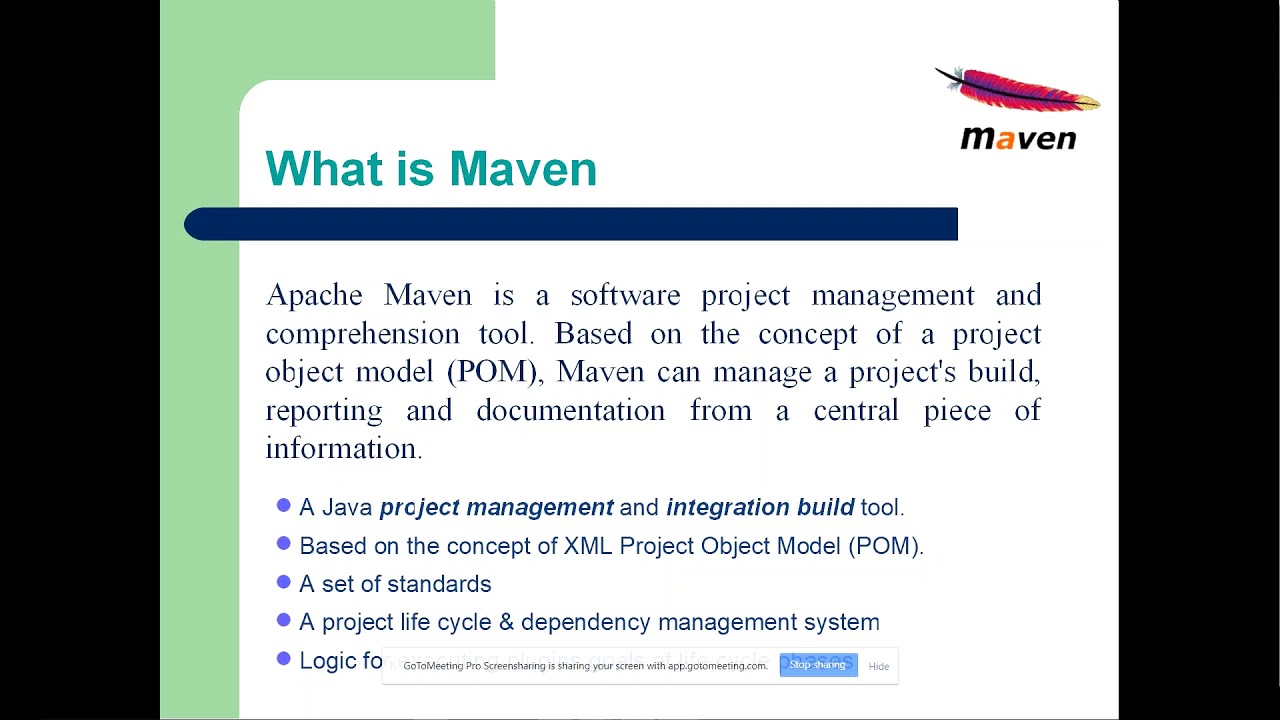
Toh, pehle yeh samjho ki Maven hai kya, actually. Basically, Maven ek powerful project management tool hai jo Apache Software Foundation ne develop kiya hai. Iska primary goal hai Java projects ke build process ko standardize aur simplify karna. "Maven" word ka matlab hai "accumulator of knowledge" ya "expert" in Yiddish, aur yeh apne naam ko poora justify karta hai. Yeh sirf code compile nahi karta, balki testing, packaging, documentation, aur deployment jaise tasks ko bhi handle karta hai. Iska funda yeh hai ki ek project ke bare mein saari information, jaise ki uska structure, dependencies, build process, aur plugins, ek single file mein define ki jaati hai jise Project Object Model (POM) kehte hain, yaani pom.xml.
Ab tum poochoge, "Sir, theek hai, build tool toh kai hain, Gradle bhi hai, toh Maven hi kyun?" Good question! Maven ka sabse bada strength hai uska convention-over-configuration approach. Matlab, yeh ek standard project structure expect karta hai. Agar tum uss structure ko follow karte ho, toh tumhe bahut kam configuration karni padti hai. Isse consistency aati hai, aur naye developers ke liye project mein jump karna aasan ho jaata hai. DevOps mein consistency ka matlab hai less errors, faster deployments, aur more reliable releases. Theek hai na?
The Pillars of Maven for Robust Builds
Har bade building ki tarah, Maven ke bhi kuch strong pillars hain jo usse itna robust banate hain:
Setting Up Maven for seamless DevOps Workflow
Ab, jab humne Maven ke basics samajh liye hain, toh agla step hai usse setup karna aur usse apne DevOps workflow mein smoothly integrate karna. Ye sirf commands run karna nahi hai, junior, yeh ek complete mindset shift hai towards automated and reproducible builds.
Installation and Basic Project Setup
Pehle, Maven ko install karna. Yeh relatively straightforward hai:
- Download Maven: Apache Maven ki official website se latest binary ZIP archive download karo.
- Extract: Archive ko apni pasand ki directory mein extract karo (e.g.,
C:\apache-maven-x.x.x on Windows, or /opt/apache-maven-x.x.x on Linux).
- Environment Variables:
M2_HOME ya MAVEN_HOME variable set karo Maven installation directory ki taraf point karte hue.PATH variable mein %M2_HOME%\bin (Windows) ya $M2_HOME/bin (Linux) add karo.
- Verify: Command prompt/terminal mein
mvn -v run karke verify karo ki installation sahi hui hai. You should see Maven version details.
Ek baar setup ho gaya, toh ek basic Maven project generate karna bahut aasan hai Maven Archetype Plugin ki help se:
mvn archetype:generate -DgroupId=com.explorenystream -DartifactId=my-devops-app -DarchetypeArtifactId=maven-archetype-quickstart -DinteractiveMode=false
Yeh command ek basic Java project structure create kar dega my-devops-app naam se, jisme pom.xml, src/main/java, aur src/test/java directories bhi hongi. Dekho, kitna easy hai shuru karna!
Maven Repositories: Your Artifact Vault
Yaad hai jab hum dependency management ki baat kar rahe the? Dependencies kahan se aati hain? Repositories se. Maven teen tarah ke repositories use karta hai:
Maven in the DevOps Pipeline: Bridging Development and Operations
Ab aata hai sabse important part: Maven ka role DevOps mein. Dekho, DevOps ka goal hai development aur operations ke beech ke barriers ko todna, aur software delivery ko fast, efficient, aur automated banana. Maven ismein ek critical role play karta hai, especially for Java-based applications. Yeh ek standardization layer provide karta hai jo CI/CD (Continuous Integration/Continuous Delivery) pipeline ka backbone ban jaata hai.
Solving DevOps Challenges with Maven
Imagine karo ek scenario: ek bade project mein kai developers kaam kar rahe hain. Har koi apne local machine par code build kar raha hai. Koi alag JDK version use kar raha hai, koi alag library version. Result? "It works on my machine!" problem. Builds inconsistent ho jaate hain, dependency conflicts hote hain, aur deployment mein issues aate hain. This is exactly where Maven for DevOps online training becomes invaluable.
Maven in challenges ko kaise solve karta hai?
- Standardization: POM file ensure karti hai ki build configuration, dependencies, aur plugins across the board same hain. Har developer, CI server, aur environment same build process follow karega.
- Reproducible Builds: Maven guarantees ki agar source code same hai, toh build output bhi same hoga. Yeh DevOps ke "immutable infrastructure" principle se match karta hai.
- Dependency Resolution: Centralized dependency management se "dependency hell" khatam hota hai. Right versions automatically resolve ho jaate hain.
- Automation: Maven ka lifecycle automation ke liye built-in hai. Tum ek simple command se poora build, test, aur package process trigger kar sakte ho.
Integrating Maven into Your CI/CD Pipeline
Yeh woh area hai jahan Maven ki asli power dikhti hai. Har DevOps pipeline ke stage mein Maven ka ek role hai:
1. Source Code Management (SCM) Integration
Tumhara code Git (ya koi aur SCM) mein hai. Jab bhi developer code push karta hai (especially to the main/develop branch), toh tumhare CI tool (Jenkins, GitLab CI, CircleCI, Azure DevOps) mein ek webhook trigger hota hai. Yeh trigger karta hai Maven build ko.
2. Continuous Integration (CI) Phase
CI ka matlab hai frequent code integration aur automated testing. Har commit ke baad, Maven steps run hote hain:
-
Clean Build: Pehle, saari old build artifacts ko clean karna zaroori hai.
mvn clean
Yeh ensure karta hai ki build ek clean slate se shuru ho, koi residual files issues create na kare.
-
Compile and Test: Next, code compile hota hai aur unit tests run hote hain.
mvn compile
mvn test
Ya phir simply mvn test run karoge toh yeh automatically validate aur compile phases ko bhi run kar dega. Agar koi compilation error ya test failure hota hai, toh build fail ho jaata hai, aur developers ko immediately feedback mil jaata hai. This rapid feedback loop is key to CI.
-
Package: Agar tests pass ho jaate hain, toh code package hota hai.
mvn package
Yeh JAR, WAR, ya EAR file create karta hai, jo tumhari application ka deployable artifact hai.
-
Artifact Deployment (to Repository): Ab jo artifact bana hai, usse private repository (Nexus/Artifactory) mein deploy karna.
mvn deploy
Yeh command packaged artifact ko local repository mein install karega aur phir remote repository mein deploy karega. Isse yeh artifact aage ke stages (CD) ke liye available ho jaata hai. Tumhare CI server par settings.xml mein repository credentials configure hote hain. Yehi woh stage hai jahan tumhare artifacts centralize hote hain, aur future deployments ke liye ready ho jaate hain.
Ek typical Jenkins pipeline script mein, yeh Maven commands kuch aise dikhenge:
pipeline {
    agent any
    stages {
        stage('Checkout') {
            steps {
                git 'https://your-scm-url/my-devops-app.git'
            }
        }
        stage('Build and Test') {
            steps {
                sh 'mvn clean install' // This runs clean, compile, test, package, install
            }
        }
        stage('Deploy to Artifactory') {
            steps {
                sh 'mvn deploy' // Deploys to configured remote repository
            }
        }
    }
}
Dekha, kitna seamless hai? Jenkins ya GitLab CI jaise tools Maven ke saath perfect combination banate hain.
3. Continuous Delivery/Deployment (CD) Phase
CI ke baad, CD mein hum artifacts ko lower environments (Dev, QA, Staging) mein deploy karte hain aur finally Production mein. Maven yahan directly involved nahi hota deploy karne mein, lekin jo artifacts Maven ne create aur deploy kiye hain remote repository mein, wohi CD tools (jaise Ansible, Kubernetes, Docker) pick karte hain aur target environments mein deploy karte hain.
Maven Release Plugin bhi hai jo versioning aur releasing process ko automate karta hai, branches ko tag karta hai, aur next SNAPSHOT version par increment karta hai. Yeh enterprise releases ke liye bahut useful hai.
Advanced Maven Concepts & Best Practices for DevOps
Senior level par, tumhein sirf basic commands nahi, Maven ke advanced features aur best practices bhi pata hone chahiye taaki tum ek robust aur maintainable DevOps setup bana sako.
Profiles: Environment-Specific Builds
Kai baar aisa hota hai ki tumhe alag-alag environments (Dev, QA, Prod) ke liye thodi different build configurations chahiye hoti hain. Jaise, Dev environment mein debugging ke liye extra logs chahiye, ya QA mein specific test data. Yahan Maven Profiles kaam aate hain.
Tum pom.xml mein alag-alag profiles define kar sakte ho, jisme environment-specific properties, dependencies, ya plugins specify kar sakte ho. Phir build ke time, tum particular profile ko activate kar sakte ho:
mvn clean install -Pqa
Yeh qa profile ko activate karega. Isse tum ek single POM file maintain kar sakte ho jo multiple environments ko support karti hai, reducing configuration drift and increasing consistency across your deployment targets.
Parent/Child POMs: Managing Multi-Module Projects
Bade applications aksar multi-module projects hote hain, jahan code logical modules mein divided hota hai (e.g., core, web, service, batch). Har module ka apna pom.xml hota hai. In modules ko effectively manage karne ke liye, Maven Parent POM ka concept use karta hai.
Ek root pom.xml file hoti hai jo as a parent act karti hai. Ismein common configurations, dependency versions, plugin versions, aur properties define ki jaati hain. Child modules is parent POM ko inherit karte hain. Isse:
- Consistency: Saare modules same dependency versions aur configurations use karte hain.
- Simplification: Har child module ke
pom.xml mein repetitive configuration avoid hoti hai.
- Centralized Management: Ek jagah se changes apply ho jaate hain saare modules par.
Ek root POM mein kuch aisa dikhta hai:
<project>
    <modelVersion>4.0.0</modelVersion>
    <groupId>com.explorenystream</groupId>
    <artifactId>my-parent-app</artifactId>
    <version>1.0.0-SNAPSHOT</version>
    <packaging>pom</packaging> <!-- Important: parent POMs are usually 'pom' packaged -->

    <modules>
        <module>my-core-module</module>
        <module>my-web-module</module>
    </modules>

    <dependencyManagement>
        <dependencies>
            <dependency>
                <groupId>org.springframework.boot</groupId<
                <artifactId>spring-boot-starter-web</artifactId<
                <version>2.5.4</version<
            </dependency>
            <dependency>
                <groupId>junit</groupId<
                <artifactId>junit</artifactId<
                <version>4.13.2</version<
                <scope>test</scope<
            </dependency>
        </dependencies>
    </dependencyManagement>
</project>
Aur child module ka pom.xml parent ko inherit karta hai:
<project>
    <parent>
        <groupId>com.explorenystream</groupId>
        <artifactId>my-parent-app</artifactId>
        <version>1.0.0-SNAPSHOT</version>
    </parent>
    <modelVersion>4.0.0</modelVersion>
    <artifactId>my-core-module</artifactId>

    <dependencies>
        <dependency>
            <groupId>org.springframework.boot</groupId<
            <artifactId>spring-boot-starter-web</artifactId<
        </dependency>
        <dependency>
            <groupId>junit</groupId<
            <artifactId>junit</artifactId<
        </dependency>
    </dependencies>
</project>
Notice karo, child POM mein <version> tags nahi hain dependencies ke liye, kyunki woh parent se inherit ho rahe hain via <dependencyManagement> section. Kitna clean ho gaya na?
Build Optimization and Security Best Practices
-
Faster Builds:
- Offline Mode: Kabhi-kabhi, jab tum dependencies download nahi karna chahte, toh
mvn -o install offline mode mein build karega. Useful for quick local builds jab dependencies already local repo mein hain.
- Threaded Builds: Multi-module projects mein
mvn -T 1C install (run 1 thread per CPU core) ya mvn -T 4 install (run 4 threads) se parallel builds run kar sakte ho.
- Skipping Tests: Emergency builds ya quick checks ke liye, tests skip kar sakte ho
mvn install -DskipTests ya mvn install -Dmaven.test.skip=true se. But remember, this is generally not recommended in CI/CD pipeline.
-
Dependency Vulnerability Scanning: DevOps security (DevSecOps) ka ek key aspect hai. Apache Maven ek open-source plugin, OWASP Dependency-Check Maven Plugin provide karta hai jo tumhari project dependencies ko known vulnerabilities (CVEs) ke liye scan karta hai. Isse early stages mein hi security risks identify ho jaate hain. Isse apni CI pipeline mein integrate karna chahiye.
-
Enforcer Plugin: Yeh plugin build ko enforce karta hai kuch rules ko follow karne ke liye, jaise ki specific JDK version use karna, unwanted dependencies avoid karna, etc.
Pitfalls and Troubleshooting in Maven DevOps
Har tool ki tarah, Maven ke bhi kuch common pitfalls hain. Ek good DevOps engineer ko pata hona chahiye ki inko kaise troubleshoot karna hai.
Verification: Ensuring Build Health
Last but not least, verification. Kaise pata chalega ki tumhara Maven build sahi chal raha hai aur desirable output de raha hai?
- Build Status: CI tools mein build status (Pass/Fail) monitor karo.
- Test Reports: Surefire/Failsafe plugins test reports generate karte hain (usually in
target/surefire-reports). In reports ko parse karke test coverage aur success rate monitor karo.
- Artifact Verification: Build ke baad, remote repository mein check karo ki artifact sahi naam aur version ke saath deploy hua hai. JAR/WAR files ko extract karke bhi content verify kar sakte ho.
- Deployment Verification: Lower environments mein deploy hone ke baad, basic health checks aur smoke tests run karo to ensure the application is functional.
Toh, dekha na junior? Maven sirf ek command-line tool nahi hai; yeh ek project management philosophy hai jo Java projects ke liye DevOps principles ko enable karta hai. Iski mastery tumhe ek invaluable asset banati hai kisi bhi tech team ke liye.
Key Takeaways
- Maven is a comprehensive project management tool for Java, standardizing builds, dependency management, and documentation.
- The Project Object Model (POM), defined in
pom.xml, is the central configuration file for every Maven project.
- Maven's Build Lifecycle and Plugin architecture enable powerful automation and extensibility, crucial for CI/CD pipelines.
- Effective Dependency Management is a core strength, eliminating "dependency hell" and ensuring reproducible builds.
- Integration with CI/CD tools like Jenkins, GitLab CI, and artifact repositories (Nexus, Artifactory) makes Maven an indispensable part of a robust DevOps workflow.
- Advanced features like Profiles and Parent/Child POMs help manage complex, multi-environment, and multi-module projects efficiently.
Frequently Asked Questions
What is the main difference between Maven and Gradle?
Maven uses XML-based declarative configuration (pom.xml) following a convention-over-configuration approach with a fixed lifecycle. Gradle, on the other hand, uses Groovy or Kotlin DSL (Domain Specific Language) for build scripts, offering more flexibility and programmatic control. While both are powerful build tools for Java, Gradle is often preferred for its performance benefits (incremental builds, build cache) and flexibility, especially for large, complex projects, whereas Maven is known for its simplicity and strong community support for standardized projects. In many organizations, both coexist, with Maven often seen as a foundational element in many legacy and new projects.
How does Maven help in Continuous Integration (CI)?
Maven standardizes the build process with its well-defined lifecycle (clean, compile, test, package, install). In a CI pipeline, when developers commit code, a CI server (like Jenkins) triggers Maven commands (e.g., mvn clean install). This automatically compiles the code, runs unit tests, packages the application, and if successful, publishes the artifact to a repository. This automation ensures consistent, reproducible builds and provides quick feedback on code changes, which are fundamental to CI.
Can Maven be used for projects other than Java?
While Maven is primarily designed for Java projects and its ecosystem (JVM languages like Scala, Kotlin also use it), its plugin-based architecture allows it to manage other types of projects to some extent. For example, there are plugins for C# projects or even for generating documentation. However, for non-Java specific projects, other build tools (like npm for JavaScript, pip for Python, Cargo for Rust) are generally more suitable and specialized.
What is the significance of the settings.xml file in Maven?
The settings.xml file in Maven defines configuration specific to the user or machine running Maven, rather than the project itself. It's crucial for DevOps because it's where you configure things like: local repository location (if different from default), remote repository mirrors and authentication credentials (for private artifact repositories like Nexus/Artifactory), proxy settings for internet access, and active profiles that apply globally. This separation of concerns means project-specific details are in pom.xml, while environment-specific setup is in settings.xml.
Toh, I hope tumhe Maven ki power aur importance samajh aa gayi hogi, especially in the context of DevOps. Ab, agar tum in concepts ko aur deeply explore karna chahte ho aur hands-on experience lena chahte ho, toh ek suggestion hai: watch the full training video! The video "Maven DEVOPS ONLINE TRAINING" on @explorenystream channel goes into much more detail, with practical examples and live demonstrations that can solidify your understanding. Don't forget to subscribe to their channel for more awesome content!