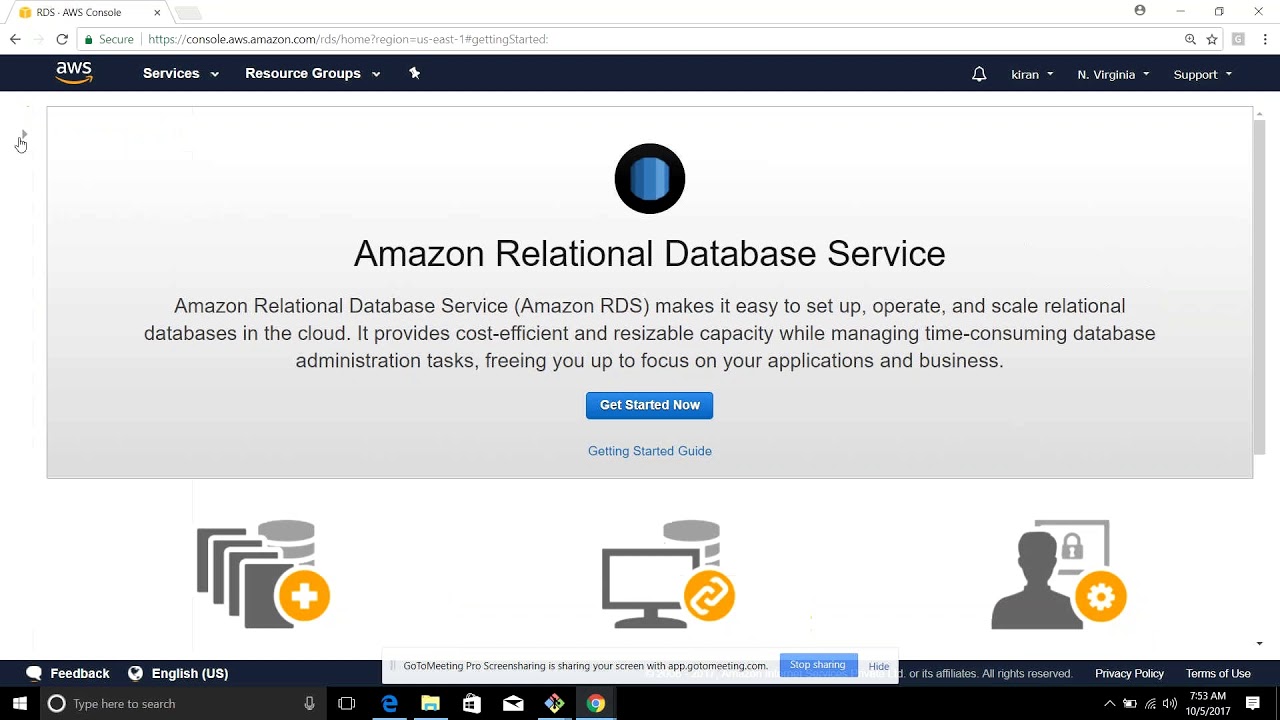
Mysql DB Instance AWS RDS DEVOPS ONLINE TRAINING
July 08, 2026 — LiveStream
🛒 Recommended gear on AmazonDisclosure: some links above are affiliate links — if you buy through them I may earn a small commission at no extra cost to you. Thanks for supporting the channel!
As an Amazon Associate I earn from qualifying purchases.
Diving into the world of cloud databases can feel daunting, but mastering the deployment and management of a Mysql DB Instance on AWS RDS is a big deal for any DevOps professional. This comprehensive guide will walk you through setting up, optimizing, and securing your MySQL database in AWS RDS, ensuring you’re well-equipped for robust database operations in a true DevOps style.
Yaar, when we talk about modern application architectures, the database is always at the core, right? And managing a database, especially for high-traffic applications, can be a real headache. Provisioning hardware, installing software, patching, backups, scaling – it’s a never-ending cycle. This is exactly where AWS RDS (Relational Database Service) comes into the picture, making our lives as DevOps engineers significantly easier, particularly with managing a MySQL DB instance.
Think of it like this: instead of buying a car and maintaining it yourself – changing oil, fixing punctures, getting it serviced – you opt for a chauffeur service or a car rental with full maintenance included. That's what AWS RDS does for your databases. It’s a managed service that handles routine database administration tasks like provisioning, patching, backup, recovery, and scaling for you. This frees up your team to focus on application development and database schema optimization, which are far more impactful for your business.
For anyone looking for a solid Mysql DB Instance AWS RDS DEVOPS ONLINE TRAINING, understanding the nuances of this service is crucial. It’s not just about clicking buttons in the console; it’s about understanding the underlying architecture, making informed decisions, and leveraging AWS capabilities to build resilient, high-performance, and cost-effective database solutions. From choosing the right instance type to implementing robust security measures and setting up efficient monitoring, every step contributes to a stable and scalable environment. Let's dig deeper into how we can effectively manage our MySQL instances on RDS using DevOps best practices.
Demystifying AWS RDS for MySQL: The DevOps Way
Dekho, the fundamental shift with RDS is from operational burden to strategic management. Traditionally, running a MySQL database on an EC2 instance meant you were responsible for the entire stack: the OS, the MySQL software, security patches, backups, and high availability. It’s a lot to manage, especially if you have multiple databases.
Why Choose RDS for Your MySQL DB Instance?
- Reduced Operational Overhead: AWS takes care of OS patching, database software installation, major and minor version upgrades, and underlying infrastructure maintenance.
- Automated Backups and Point-in-Time Recovery: RDS automatically backs up your database and stores daily snapshots, allowing you to restore your database to any point in time within your retention period, typically up to 35 days.
- High Availability with Multi-AZ Deployments: For production workloads, Multi-AZ deployments are a lifesaver. RDS automatically provisions and maintains a synchronous standby replica in a different Availability Zone (AZ). In case of an infrastructure failure in the primary AZ, RDS automatically fails over to the standby replica, minimizing downtime.
- Scalability: You can easily scale compute, memory, and storage resources up or down with minimal downtime, adapting to your application's changing needs.
- Enhanced Security: RDS offers features like encryption at rest using AWS KMS, encryption in transit with SSL/TLS, network isolation within a VPC, and integration with IAM for database authentication.
- Monitoring: Seamless integration with Amazon CloudWatch for monitoring key database metrics.
From a DevOps perspective, RDS isn't just a convenience; it's an enabler. It allows us to apply Infrastructure as Code (IaC) principles more easily, automate deployment, management, and scaling processes, and integrate database operations into our CI/CD pipelines. This consistency and automation are core tenets of DevOps.
Setting Up Your MySQL DB Instance on AWS RDS: A Step-by-Step Guide
Chalo, let's get our hands dirty and understand the key steps involved in provisioning a MySQL DB instance on AWS RDS. This is where your Mysql DB Instance AWS RDS DEVOPS ONLINE TRAINING really comes alive, practical application is key!
Choosing the Right Configuration for Your MySQL Instance
The first step is always configuration. Decisions made here impact performance, cost, and availability.
- Engine Options: Select
MySQL. You'll also choose the specific version (e.g., MySQL 8.0, 5.7). Always try to use the latest stable version for new deployments.
- Templates: For production, choose 'Production'. For testing or development, 'Dev/Test' or 'Free tier' might suffice.
- DB Instance Size (Instance Class): This dictates the compute and memory capacity. Think about your application's workload. For a junior environment, a
db.t3.micro might be okay, but production applications will often need db.m5 or db.r5 families for better performance. The 'r' series is memory-optimized, great for databases.
- Storage Type and Allocated Storage:
- General Purpose SSD (gp2/gp3): Good balance of price and performance, suitable for most workloads.
- Provisioned IOPS SSD (io1/io2): For high-performance, I/O-intensive database workloads where consistent performance is critical. You specify the desired IOPS.
- Start with a reasonable amount of storage (e.g., 20-100 GB) and enable storage autoscaling to automatically increase storage when needed.
- Multi-AZ Deployment:
- Single-AZ: Lower cost, but less resilient to failures. Suitable for dev/test.
- Multi-AZ: Highly recommended for production. Synchronous replication to a standby instance in another AZ for high availability and automatic failover. This is a must for serious DevOps deployments.
- VPC and Subnet Groups:
- Your RDS instance must live within a Virtual Private Cloud (VPC).
- Create a DB Subnet Group that spans at least two Availability Zones. This allows RDS to deploy your primary and standby instances (for Multi-AZ) across different AZs, enhancing fault tolerance.
- Public Accessibility: Generally, set this to 'No'. Your application servers in the same VPC should connect to RDS. Only enable 'Yes' if you have a specific reason (e.g., connecting from on-premises over VPN/Direct Connect, or for initial testing from your local machine, though SSH tunneling is safer).
- VPC Security Group: This is crucial. It acts as a virtual firewall. You'll need to create a security group that allows inbound traffic on port 3306 (default MySQL port) from your application servers' security groups or specific IP ranges. More on this next.
- Initial Database Setup:
- Database Name: Optional, but good practice to define one.
- Master Username and Password: Create strong, unique credentials for the master user. Don't use
root for the master user.
Networking and Security Essentials for Your MySQL DB Instance
Networking isn't just about connectivity; it's about security, bhai. Misconfigured network access is one of the biggest vulnerabilities.
- VPC and DB Subnet Groups Explained:
Your RDS instance resides in your VPC, in private subnets. This means it's not directly exposed to the internet. A DB Subnet Group consists of multiple subnets (at least two, ideally spanning different AZs) that RDS can use to deploy your database instance. When you create a Multi-AZ deployment, RDS uses these subnets to place the primary and standby instances.
- Configuring Security Groups (Ingress/Egress):
This is your first line of defense. Create a dedicated Security Group for your RDS instance. For inbound rules (Ingress), allow:
- Type: MySQL/Aurora (port 3306)
- Source: The security group(s) associated with your application servers (EC2 instances, ECS tasks, Lambda functions within the VPC). This is the most secure method. Alternatively, you can specify IP ranges (e.g., your office IP for admin access,
0.0.0.0/0 for public access which is generally NOT recommended for production).
For outbound rules (Egress), usually, you allow all traffic (0.0.0.0/0) as databases might need to connect to other AWS services or external endpoints for updates/monitoring.
Example: If your web servers are in a security group named sg-webapp, your RDS security group should have an ingress rule allowing traffic from sg-webapp on port 3306.
- Connecting to Your MySQL DB Instance:
Once your RDS instance is provisioned (it might take a few minutes), you'll get an Endpoint. This is the hostname you'll use to connect. You can find it in the RDS console, under your DB instance details.
Using the MySQL Client:
mysql -h <RDS_ENDPOINT> -P 3306 -u <MASTER_USERNAME> -p
When prompted, enter your master password. Remember, you must connect from an environment (e.g., an EC2 instance, your local machine with VPN) that is allowed by the RDS security group.
Using a GUI Tool (e.g., MySQL Workbench, DBeaver): Input the endpoint, port (3306), username, and password.
- SSL/TLS Connectivity:
Always connect to your RDS instance using SSL/TLS encryption for data in transit, especially for production environments. AWS provides certificates for this. You can download the Amazon RDS root CA certificate from the AWS documentation. Most MySQL clients and ORMs (Object-Relational Mappers) support SSL connection options.
Example with MySQL client (command might vary slightly depending on client version):
mysql -h <RDS_ENDPOINT> -P 3306 -u <MASTER_USERNAME> -p --ssl-mode=REQUIRED --ssl-ca=/path/to/rds-ca-2019-root.pem
Advanced DevOps Strategies for MySQL RDS Management
Ab, advanced stuff pe chalte hain. Simply provisioning is not enough; true DevOps excellence lies in managing, optimizing, and automating your Mysql DB Instance on AWS RDS throughout its lifecycle.
Robust Monitoring and Alerting for Your MySQL DB Instance
Monitoring is the eyes and ears of your database. Without it, you’re flying blind.
- CloudWatch Metrics: RDS automatically sends crucial metrics to Amazon CloudWatch. Key metrics to monitor include:
CPUUtilization: High CPU often points to inefficient queries or under-provisioned instance types.DatabaseConnections: Too many connections can overwhelm the database.FreeStorageSpace: Keep an eye on this to prevent storage exhaustion.ReadIOPS, WriteIOPS, ReadLatency, WriteLatency: Important for understanding disk I/O performance.SwapUsage: High swap usage indicates memory pressure.
- Enhanced Monitoring: Provides more granular OS-level metrics (CPU, memory, file system, disk I/O) in real-time, with up to 1-second granularity. This is invaluable for deep-dive performance analysis.
- Log Exports: Configure RDS to export logs to CloudWatch Logs:
- Error Log: For database errors.
- Slow Query Log: Crucial for identifying and optimizing long-running queries.
- General Log: Records all SQL statements, useful for debugging (use with caution in production due to verbosity).
- Setting Up CloudWatch Alarms: Create alarms based on critical metrics. For example, an alarm for
CPUUtilization > 80% for 5 minutes, or FreeStorageSpace < 10%. Configure these alarms to notify your team via SNS topics, which can then trigger emails, SMS, or even PagerDuty alerts.
Backup, Recovery, and Disaster Preparedness
Data loss is not an option. A solid backup and recovery strategy is non-negotiable.
- Automated Backups & Retention: RDS takes automated daily snapshots of your database. You define the backup retention period (1 to 35 days). These backups are incremental, storing only changes after the first full snapshot.
- Manual Snapshots: You can create manual snapshots at any time. These are retained indefinitely until you delete them. Useful before major changes or for long-term archiving.
- Point-in-Time Recovery: This is a powerful feature. You can restore your database to any specific second within your backup retention window, up to the last 5 minutes. RDS uses automated backups and transaction logs (WAL files) to achieve this.
- Cross-Region Snapshots for DR: For extreme disaster recovery scenarios, copy manual or automated snapshots to a different AWS region. This protects against region-wide outages.
Optimizing Performance and Scalability for MySQL DB Instance
A slowly performing database is worse than no database sometimes, isn't it?
- Parameter Groups: These are containers for engine configuration values that are applied to one or more DB instances. You can tune MySQL parameters like:
innodb_buffer_pool_size: Allocate sufficient memory to cache frequently accessed data. This is often the most critical parameter for performance.max_connections: Set an appropriate limit for concurrent connections.query_cache_size: (Deprecated in MySQL 8.0) For older versions, proper sizing can help.long_query_time: Define the threshold for slow query logging.- Create custom parameter groups, modify values, and apply them to your instances.
- Read Replicas for Read Scaling: For read-heavy applications, Read Replicas are your best friend. You can create up to 15 Read Replicas from a single source DB instance. Applications can then direct read traffic to these replicas, offloading the primary instance and improving read throughput. They can also be promoted to standalone DB instances if needed.
- Vertical Scaling (Instance Upgrade): If your instance class is bottlenecking (high CPU/memory), you can easily modify your DB instance to a larger instance class. This requires a brief downtime (typically during the maintenance window).
- Storage Scaling: If
FreeStorageSpace is consistently low, you can increase the allocated storage. With gp2/gp3 volumes, increasing storage often also increases IOPS.
Security Deep Dive: IAM, Encryption, and Network Access for Your MySQL DB Instance
Security should be baked in, not an afterthought.
- IAM Database Authentication: Instead of managing traditional MySQL usernames/passwords, you can integrate RDS with AWS IAM. Users or roles with appropriate IAM policies can generate temporary database credentials to authenticate to the MySQL instance. This leverages IAM's robust access control, MFA, and audit capabilities.
- Encryption at Rest (KMS): Enable encryption for your DB instance using AWS Key Management Service (KMS). This encrypts your data, backups, snapshots, and Read Replicas. Once enabled, it cannot be disabled for that instance. Always enable it from the start for new production databases.
- Encryption in Transit (SSL/TLS): As discussed earlier, enforce SSL/TLS for all client connections to protect data as it moves between your application and the database.
- Network ACLs & Security Group Best Practices:
- Least Privilege: Only allow necessary inbound traffic on port 3306 from specific sources (e.g., application security groups).
- Private Subnets: Always deploy your RDS instances in private subnets within your VPC.
- No Public Accessibility: Avoid making your RDS instance publicly accessible unless absolutely required and carefully controlled.
- Audit Logging: Enable the MySQL Audit Plugin (via Option Groups) to log database activities, which can be useful for security audits and compliance.
Automation and Infrastructure as Code (IaC) for MySQL RDS
This is where DevOps truly shines. Manual configurations are prone to errors and don't scale. Automation is key for your Mysql DB Instance AWS RDS DEVOPS ONLINE TRAINING.
Terraform/CloudFormation for RDS Provisioning
Infrastructure as Code (IaC) allows you to define your AWS resources (like an RDS instance) in configuration files, which can then be version-controlled, reviewed, and deployed repeatedly and consistently.
- Benefits of IaC:
- Consistency: Ensures identical environments across dev, staging, and production.
- Repeatability: Spin up new environments quickly.
- Version Control: Track changes to your infrastructure.
- Auditability: See who changed what and when.
- Reduced Errors: Eliminates manual configuration mistakes.
- Example (Conceptual Terraform):
resource "aws_db_instance" "mysql_devops_instance" {
  allocated_storage      = 50
  engine                 = "mysql"
  engine_version         = "8.0.28"
  instance_class         = "db.t3.small"
  name                   = "mydatabase"
  username               = "admin"
  password               = "YourStrongPassword" # Use AWS Secrets Manager in production!
  parameter_group_name   = "default.mysql8.0"
  db_subnet_group_name   = aws_db_subnet_group.devops_subnet_group.name
  vpc_security_group_ids = [aws_security_group.rds_sg.id]
  skip_final_snapshot    = true # Set to false for production
  multi_az               = false # Set to true for production
  tags = {
    Name        = "DevOpsMySQL"
    Environment = "Dev"
  }
}

resource "aws_db_subnet_group" "devops_subnet_group" {
  # Define subnets across multiple AZs
  subnet_ids = ["subnet-xxxxxxxxx", "subnet-yyyyyyyyy"]
  tags = {
    Name = "DevOpsMySQLSubnetGroup"
  }
}

resource "aws_security_group" "rds_sg" {
  # Define ingress rules for app servers
  vpc_id = "vpc-zzzzzzzzz"
  ingress {
    from_port       = 3306
    to_port         = 3306
    protocol        = "tcp"
    security_groups = [aws_security_group.app_server_sg.id]
    description     = "Allow app server access"
  }
  egress {
    from_port   = 0
    to_port     = 0
    protocol    = "-1"
    cidr_blocks = ["0.0.0.0/0"]
  }
}
CI/CD for Database Schema Migrations
Just like application code, database schema changes need to go through a rigorous CI/CD pipeline.
- Why Automate Schema Migrations?
- Consistency: Prevents schema drift between environments.
- Reliability: Reduces manual errors during deployment.
- Rollback Capability: Easier to revert if an issue arises.
- Speed: Accelerates the release process.
- Tools:
- Flyway and Liquibase are popular open-source tools for managing database migrations. They track applied migrations and apply new ones incrementally.
- Custom Scripts: For simpler setups, shell scripts combined with
mysql client commands can work, but versioning and idempotency become your responsibility.
- Integrating into CI/CD Pipelines:
Your pipeline (e.g., Jenkins, GitLab CI, AWS CodePipeline) can be configured to:
- Fetch the latest schema migration scripts from version control.
- Run tests against a temporary or staging database to validate migrations.
- Apply the migrations to the target RDS MySQL instance.
- Perform post-migration checks.
This ensures that every schema change, no matter how small, follows a predefined, automated, and tested process, reducing risk significantly.
Troubleshooting Common MySQL RDS Issues
Yaar, problems toh aayenge hi. Knowing how to troubleshoot common MySQL DB instance AWS RDS issues effectively is part of being a good DevOps engineer.
- Connection Failures:
- Check Security Groups: Is the source IP/security group allowed in the RDS security group's ingress rules?
- Check Network ACLs: If your VPC has custom NACLs, ensure they allow necessary traffic.
- Check Endpoint and Port: Are you using the correct RDS endpoint and port (3306)?
- Authentication Errors: Verify username and password.
- Public Accessibility: If connecting from outside the VPC, ensure the instance is publicly accessible or you're using a bastion host/VPN.
- Slow Queries/High Latency:
- Enable Slow Query Log: Export to CloudWatch Logs and analyze which queries are taking too long.
- Check CloudWatch Metrics: High
CPUUtilization, ReadIOPS, WriteIOPS, ReadLatency, WriteLatency.
- Analyze Query Plans: Use
EXPLAIN to understand how MySQL is executing slow queries and identify missing indexes.
- Parameter Group Tuning: Adjust
innodb_buffer_pool_size, max_connections, etc.
- Scaling: Consider upgrading instance class or adding Read Replicas.
- High CPU/Memory Utilization:
- Monitor with CloudWatch/Enhanced Monitoring: Pinpoint when spikes occur.
- Identify Workload: Is it sudden traffic, long-running queries, or inefficient application code?
- Parameter Group Tuning: Ensure memory-related parameters are optimized for your instance class.
- Scale Up: If consistent, upgrade to a larger DB instance class.
- Storage Pressure (Low FreeStorageSpace):
- Check Database Size: Identify large tables or growing data.
- Clean Up Old Data: Implement data retention policies.
- Enable Storage Auto Scaling: Configure RDS to automatically increase storage when needed.
- Manually Increase Storage: If auto-scaling isn't enabled, modify the instance to increase allocated storage.
Mastering the Mysql DB Instance AWS RDS DEVOPS ONLINE TRAINING isn't just about the initial setup. It's about building a robust, observable, and automated system that can handle the demands of production workloads. By embracing these DevOps principles, you empower your team to deliver faster, more reliably, and with greater confidence.
Key Takeaways
- AWS RDS simplifies MySQL database management by handling operational tasks, freeing up DevOps teams for strategic work.
- Proper configuration of instance class, storage, Multi-AZ, and security groups is foundational for a reliable MySQL DB instance.
- Robust monitoring with CloudWatch and Enhanced Monitoring, coupled with effective alerting, is crucial for proactive issue resolution.
- A comprehensive backup strategy including automated backups, point-in-time recovery, and cross-region snapshots ensures data durability.
- Optimize performance through Read Replicas for scaling reads, tuning with Parameter Groups, and scaling instance resources as needed.
- Security is paramount, utilizing IAM database authentication, encryption at rest with KMS, and enforcing SSL/TLS for connections.
- Embrace Infrastructure as Code (IaC) with tools like Terraform or CloudFormation for consistent, automated provisioning and CI/CD for schema migrations.
Frequently Asked Questions
What is the main difference between RDS and MySQL on EC2?
The primary difference is the level of management. With MySQL on EC2, you are responsible for everything: provisioning the EC2 instance, installing MySQL, OS and database patching, backups, replication, and high availability. With AWS RDS for MySQL, AWS manages these operational tasks for you, including provisioning, patching, backups, automatic failure detection and failover for Multi-AZ deployments, and scaling. This allows DevOps teams to focus more on application logic and database schema optimization rather than infrastructure maintenance.
How do you secure an AWS RDS MySQL instance?
Securing an AWS RDS MySQL instance involves multiple layers:
- Network Isolation: Deploying RDS in a private subnet within a VPC and restricting access via Security Groups (allowing only traffic from trusted sources like application servers).
- Encryption at Rest: Enabling encryption using AWS Key Management Service (KMS) to encrypt data on disk, including backups and snapshots.
- Encryption in Transit: Enforcing SSL/TLS for all client connections to encrypt data moving between your application and the database.
- IAM Database Authentication: Integrating with AWS IAM to manage database user access, providing fine-grained permissions and leveraging IAM's security features like MFA.
- Strong Credentials: Using complex, unique passwords for the master user and implementing least privilege access for all database users.
- Audit Logging: Enabling the MySQL Audit Plugin via Option Groups to log database activity for compliance and security monitoring.
Can I scale my MySQL RDS instance? How?
Yes, AWS RDS provides multiple ways to scale your MySQL DB instance:
- Vertical Scaling (Instance Class): You can easily upgrade your DB instance to a larger instance class (more CPU, memory) to handle increased workloads. This typically involves a brief downtime during a maintenance window.
- Horizontal Scaling (Read Replicas): For read-heavy applications, you can create up to 15 Read Replicas. Applications can then distribute read traffic across these replicas, significantly increasing read throughput and offloading the primary instance.
- Storage Scaling: You can increase the allocated storage for your instance. For General Purpose SSD (gp2/gp3) volumes, increasing storage often also boosts IOPS performance. You can also enable storage autoscaling to automatically expand storage as needed.
What are RDS Parameter Groups used for?
RDS Parameter Groups are used to manage and apply specific MySQL engine configuration parameters to your MySQL DB instance. They act as containers for configuration values, allowing you to fine-tune the database's behavior and performance. For example, you can adjust parameters like innodb_buffer_pool_size (to allocate memory for caching), max_connections (to set the maximum number of concurrent connections), or long_query_time (to define the threshold for slow query logging). By creating custom parameter groups, you can apply consistent configurations across multiple DB instances and manage these settings efficiently, which is a core part of effective database DevOps.
I hope this deep dive into managing your Mysql DB Instance on AWS RDS from a DevOps perspective gives you a solid foundation, yaar. If you want to see these concepts in action and get some hands-on experience, make sure to watch the full training video on @explorenystream. Don't forget to like and subscribe for more amazing DevOps content!